

Look, IT downtime happens. It's like when your internet just decides to take a break, but way more serious for a business. Suddenly, nobody can get anything done, customers get annoyed, and money just flies out the window. It's not just about computers not working; it's about everything grinding to a halt. We're going to talk about how to fix IT downtime, or better yet, how to stop it from happening in the first place. Because honestly, nobody has time for that.
Key Takeaways
- Downtime costs more than just lost sales; it chips away at your reputation and can lead to compliance headaches.
- Keeping an eye on your systems in real-time helps you spot trouble before it blows up.
- Regular check-ups and updates are like oil changes for your IT – they prevent bigger problems down the road.
- Human mistakes and security holes are common culprits, so training and good security practices are a must.
- When things get complicated, bringing in IT pros can save you time, money, and a whole lot of stress.
Understanding the True Cost of IT Downtime
When your IT systems decide to take an unscheduled break, it's way more than just an inconvenience for the tech team. It's a full-blown business disruption that can hit your wallet, your workflow, and your standing with customers. We're talking about real money walking out the door, projects getting stalled, and that hard-earned trust with clients taking a serious hit.
Financial Repercussions of System Outages
Let's get down to brass tacks: downtime costs money. And not just a little bit. For many businesses, even a few minutes offline can translate into thousands of dollars lost. Think about it – if your sales system is down, no one can buy anything. If your production line relies on networked machines, they just sit there, costing you money with every passing second. For larger operations, these figures can skyrocket into millions per hour, especially in industries where every transaction is critical.
Here's a quick look at what adds up:
- Lost Revenue: Direct sales missed during the outage. This is the most obvious hit.
- Lost Productivity: Employees sitting idle, unable to do their jobs, while still being paid. That's a double whammy.
- Recovery Costs: Emergency IT support, overtime pay, and potentially rush-ordered replacement parts all add up fast.
- Intangible Costs: This is where things get trickier to measure but are often more damaging long-term. We'll get to that.
The financial impact isn't just about the immediate loss of sales. It's the ripple effect of delayed projects, the cost of getting systems back online, and the hidden expenses that can drain your resources.
Impact on Productivity and Operations
Beyond the direct financial hit, think about how downtime grinds your entire operation to a halt. Your team can't access the tools they need, communication breaks down, and deadlines start to slip. It's not just about the IT department being unable to work; it's about every single person in the company who relies on those systems to do their job. This can create a backlog that takes weeks to clear, affecting future projects and overall business momentum.
- Work Stoppage: Employees are literally unable to perform their duties.
- Delayed Projects: Tasks and deadlines get pushed back, impacting timelines and client commitments.
- Communication Breakdown: Internal collaboration tools and email systems might be down, making coordination difficult.
Erosion of Customer Trust and Reputation
This is perhaps the most insidious cost of IT downtime. Customers expect your services to be available when they need them. When they can't access your website, make a purchase, or get support, they get frustrated. Frequent or prolonged outages can quickly make them question your reliability. They might leave negative reviews, complain on social media, or, worst of all, take their business to a competitor who offers a more stable experience. Rebuilding that trust and repairing a damaged reputation can be a long, expensive, and difficult process. A single significant outage can undo years of good work in building customer loyalty.
Proactive Strategies to Fix IT Downtime
Nobody wants their business to grind to a halt because of IT issues. It's like trying to drive a car with a flat tire – frustrating and it stops you from getting anywhere. The good news is, a lot of this can be avoided with some smart planning and regular attention. We're talking about getting ahead of the problems before they even have a chance to show up and cause trouble.
Implementing Regular System Maintenance and Updates
Think of your IT systems like a car. You wouldn't just drive it for years without an oil change or checking the tires, right? Your computers, servers, and software need that same kind of care. Regular maintenance isn't just about fixing things when they break; it's about keeping them running smoothly and preventing those unexpected breakdowns. Updating software and firmware is a big part of this. These updates often include fixes for security holes that hackers could exploit, and they can also make your systems run faster and more efficiently. It's a good idea to have a schedule for this, maybe weekly or monthly, depending on what needs updating. This helps close security gaps and generally improves how things work.
- Schedule regular updates for operating systems and applications.
- Patch operating systems monthly to prevent vulnerabilities.
- Replace outdated hardware before it fails.
Leveraging Cloud Solutions for Resilience
Moving some of your operations to the cloud can really make a difference when it comes to staying online. Cloud services are often built with a lot of backup systems already in place, meaning if one part of their infrastructure has an issue, another part can usually take over without you even noticing. This makes your business more flexible and less likely to be affected by local hardware failures. It's a smart way to reduce downtime and keep things running, even if something unexpected happens on your end.
Establishing Robust Backup and Disaster Recovery Plans
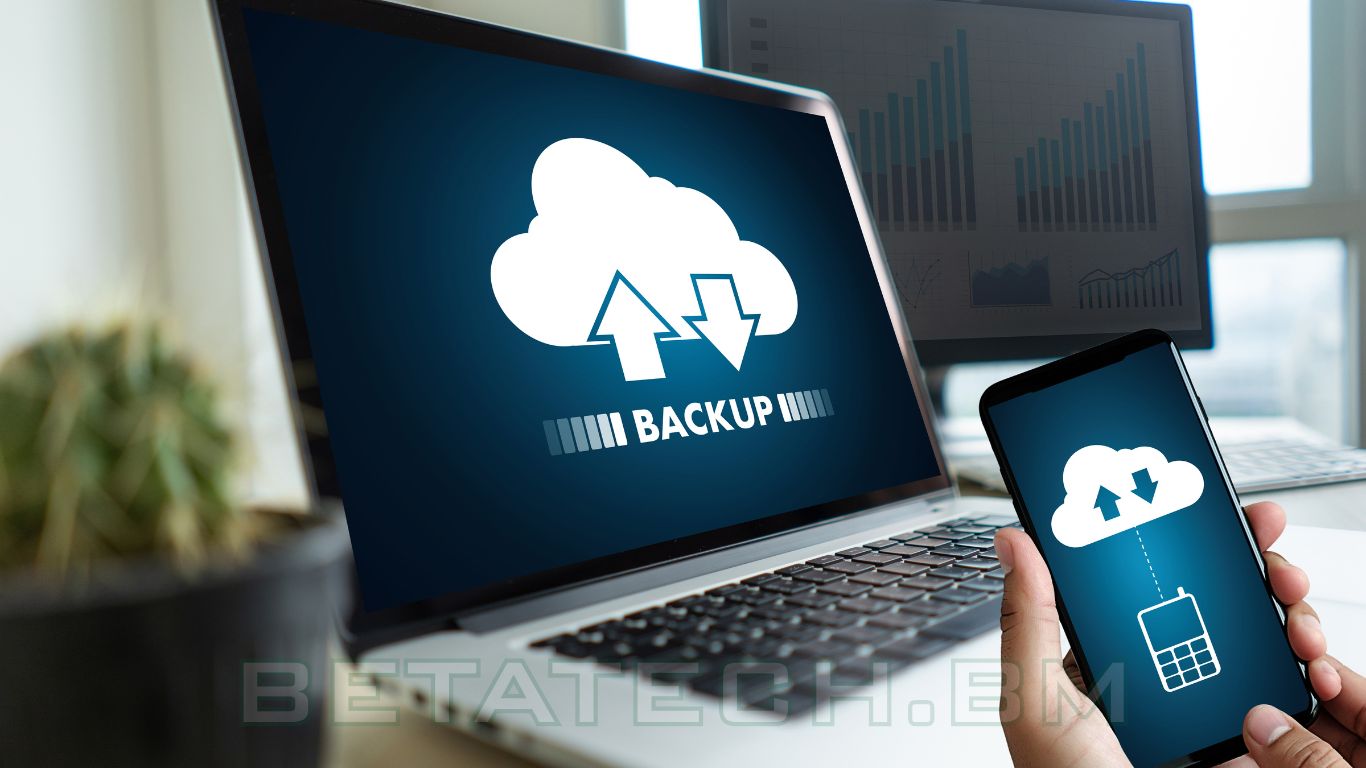
This is your safety net. What happens if the worst occurs? Having solid backup and disaster recovery plans means you can get back up and running quickly. Regular data backups are non-negotiable. You need to know your important files are saved somewhere safe, ideally in more than one location, like on secure cloud servers or external devices. But backups are only half the story. A disaster recovery plan outlines exactly what steps to take to restore your systems after an outage. It's a clear roadmap that tells your team what to do, who to call, and how to get everything back online with minimal data loss. This preparation is key to minimizing the impact of any system failure.
Having a plan in place isn't just about recovering from a disaster; it's about having a clear, step-by-step process that reduces panic and speeds up the return to normal operations. It saves time, money, and a lot of stress.
Here's a quick look at what goes into a good backup and recovery strategy:
- Perform regular, automated backups. Don't rely on manual processes that can be forgotten.
- Store backups securely. Use cloud storage or physically separate devices.
- Test your recovery process. Make sure you can actually restore data from your backups.
The Role of Monitoring in Preventing Outages
You know, it's easy to think of IT systems as just chugging along in the background, doing their thing. But when they stop, suddenly everyone notices. That's where monitoring comes in. It's like having a constant check-up for your entire IT setup, spotting little problems before they turn into big, business-stopping headaches.
Achieving Real-Time Visibility Across IT Systems
Think about it: if you can't see what's happening, how can you fix it? Real-time monitoring gives you a live look at everything. We're talking about your servers, your network traffic, your applications – the whole shebang. This isn't just about knowing if a server is on or off; it's about seeing how it's performing, how much load it's handling, and if any weird patterns are popping up.
- Endpoints: Laptops, desktops, mobile devices – are they running slow? Do they have security issues?
- Networks: Is bandwidth being used up unexpectedly? Are there strange connections happening?
- Applications: Is your CRM or accounting software responding quickly, or is it lagging?
- Users: Are there unusual login attempts or access patterns?
This kind of detailed view helps you understand the health of your whole IT environment at any given moment. Without this visibility, you're essentially flying blind, waiting for something to break.
Detecting Potential Threats Before They Escalate
Monitoring isn't just about performance; it's a big part of security too. Many cyber threats start small. Maybe it's an unusual number of failed login attempts on an account, or a device trying to connect to a suspicious server. Monitoring tools can flag these kinds of activities right away.
When you catch these early warning signs, you can stop a potential breach before it even gets going. It's like noticing a small leak in your roof before it causes major water damage. Acting fast makes all the difference.
This early detection means you can:
- Identify phishing attempts by spotting odd login behaviors.
- Spot unusual movement between devices on your network.
- Quarantine suspicious software before it can do harm.
Utilizing Alerts as Actionable Insights
Okay, so your monitoring system sends out an alert. What do you do? The key is to make sure these alerts aren't just noise. Good monitoring systems are set up so that alerts tell you what the problem is and where it's happening. This turns a simple notification into a clear instruction for your IT team.
For example, an alert might say: "Server X is experiencing high CPU usage, impacting application Y." This tells you exactly what needs attention. You can then:
- Investigate the specific server and application.
- Check for any recent changes or updates that might have caused the issue.
- Take steps to reduce the load or fix the underlying problem.
This way, alerts become valuable information that helps you fix things quickly and efficiently, preventing minor issues from snowballing into major downtime events.
Addressing Common Causes of IT Disruptions
IT issues don't just pop up out of nowhere. Most of the time, they stem from a few predictable places. Understanding these common culprits is the first step to stopping them before they cause real headaches for your business. It's like knowing why your car is making a funny noise – once you know the likely cause, you can actually fix it.

Mitigating Risks from Human Error and Misconfigurations
Let's be honest, people make mistakes. Whether it's a simple typo when entering a network address or a more complex setting changed incorrectly in a server, human error is a frequent visitor in the world of IT problems. Misconfigurations happen when settings aren't quite right for how your systems need to work. This can lead to devices not talking to each other, data getting lost, or applications just not running as they should. It's not usually malicious, just… oops.
- Regular Training: Make sure your team knows how to use the tools they have and understands the impact of certain changes. Even basic training can prevent a lot of issues.
- Standardized Procedures: Having clear, documented steps for common tasks reduces the chance of someone doing things differently and causing a problem.
- Change Control: Implement a system where significant changes to IT systems need to be reviewed and approved before they go live. This adds a layer of checks and balances.
A simple mistake in a firewall rule or a user permission setting can open the door to significant disruptions. It's often the small, overlooked details that cause the biggest headaches down the line.
Managing Overloaded Systems and Devices
Think about trying to run ten different programs on your phone at once. It gets slow, right? The same thing happens with business IT. When servers, computers, or even network devices are asked to do too much, they start to struggle. This overload can cause slow performance, applications freezing, and even complete system crashes. It's a common issue, especially as businesses grow and their technology needs increase without corresponding upgrades.
- Performance Monitoring: Keep an eye on how your systems are performing. Are they constantly running at high capacity?
- Capacity Planning: Look ahead. As your business grows, will your current hardware be able to handle the load? Plan for upgrades before you hit a breaking point.
- Load Balancing: For critical services, distribute the workload across multiple servers so no single machine gets overwhelmed.
Addressing Security Vulnerabilities and Patch Management
Software isn't perfect. Developers release updates, often called patches, to fix bugs and close security holes. If you skip these updates, you're essentially leaving your systems exposed. Attackers are always looking for these weak spots. A missed security patch is like leaving a window unlocked in your office – it's an invitation for trouble. This can lead to data breaches, malware infections, and, you guessed it, significant downtime. Keeping your software and operating systems up-to-date is a non-negotiable part of maintaining business continuity.
| Vulnerability Type | Potential Impact | Mitigation Strategy |
|---|---|---|
| Unpatched Software | Data Breach, Malware | Regular patching schedule |
| Weak Passwords | Unauthorized Access | Multi-factor authentication, password policies |
| Outdated Antivirus | Virus/Malware Infection | Frequent updates, regular scans |
Building a Resilient IT Infrastructure
Think of your IT infrastructure as the foundation of your business. If that foundation is shaky, everything built on top is at risk. We're talking about servers, networks, computers, and all the software that keeps things running. When these pieces aren't up to par, downtime isn't just a possibility; it's practically a guarantee.
The Importance of Expert IT Support
Look, sometimes you just can't fix it yourself. You've tried rebooting, you've checked the cables, maybe you even watched a few too many YouTube videos. But that nagging issue? It's still there, messing with your workflow and making everyone grumpy. That's when you know it's time to call in the pros. Trying to solve complex IT problems without the right knowledge is like trying to perform surgery with a butter knife – messy, ineffective, and potentially damaging.
When to Seek Professional Assistance
It's easy to think you can handle every IT hiccup internally, especially if you have someone on staff who's 'good with computers.' But there's a big difference between knowing how to send an email and understanding the intricate workings of a business network. You should consider bringing in outside help when:
- You're facing issues that are beyond your current team's skill set or available time.
- Problems keep popping up, suggesting a deeper, underlying cause that needs expert diagnosis.
- Downtime is starting to significantly impact your revenue or customer satisfaction.
- You're planning major system upgrades or migrations and want to avoid costly mistakes.
- Security threats are becoming more sophisticated, and you need specialized defense.
Ignoring persistent IT problems or trying to patch them up with quick fixes often leads to bigger headaches down the line. It's not just about fixing the immediate symptom; it's about preventing the problem from ever happening again. This proactive approach saves time, money, and a whole lot of stress.
Benefits of Managed IT Services
Managed IT services are basically like having a dedicated IT department, but without the overhead of hiring and training your own full-time staff. These providers offer ongoing support and maintenance, acting as a partner to keep your systems running smoothly. They bring a wealth of knowledge and experience to the table, covering everything from daily operations to long-term strategy. Think of them as your IT safety net, always there to catch you before you fall.
Faster Resolution and Reduced Business Impact
When something goes wrong, every minute counts. Expert IT support means quicker identification of the root cause and more efficient solutions. They have the tools, the training, and the experience to troubleshoot problems that would otherwise leave your team stumped for hours, or even days. This speed directly translates to less downtime, fewer lost sales, and happier employees and customers. It's about getting back to business, fast, and minimizing the ripple effect of any technical disruption.
Wrapping It Up
Look, IT downtime happens. It's not a matter of if, but when. We've talked about how much it can cost your business, from lost cash to unhappy customers. But the good news is, you're not powerless. By keeping up with regular checks, watching your systems closely, and having a solid plan for when things go wrong, you can seriously cut down on those disruptive outages. Think of it like regular car maintenance – it's way better to fix a small issue now than deal with a breakdown on the highway. Staying on top of your IT game means your business keeps running smoothly, your customers stay happy, and you can focus on growing, not firefighting.
Frequently Asked Questions
What exactly is IT downtime?
IT downtime is simply when your computer systems, like your network or important software, stop working and can't be used. This can happen for a short time, maybe just a few minutes, or it could last for many hours. Sometimes it's planned, like when you update your systems, but often it's unexpected and caused by technical problems.
Why is IT downtime so bad for businesses?
When your IT systems go down, your business pretty much stops. You can't help customers, send emails, or process orders. This means you lose money right away. Plus, it makes your customers unhappy, and they might stop trusting you or go to a competitor. It also makes your employees frustrated because they can't do their jobs.
What are some easy ways to prevent IT downtime?
Think of it like taking care of a car. You need to do regular check-ups! This means keeping your software and hardware updated, making sure your backups are working, and having a plan for what to do if something does go wrong. Also, training your employees to avoid simple mistakes can help a lot.
How does keeping an eye on IT systems help?
Watching your IT systems closely is like having a security guard. It helps you see if something is about to go wrong *before* it actually breaks. You can get alerts that tell you there might be a problem, so you can fix it quickly before it causes a big disruption.
What if a problem happens that we can't fix ourselves?
Sometimes, IT problems are tricky and need special skills. That's when it's smart to call in the experts. They have the tools and knowledge to figure out complex issues fast, saving you time and money, and getting your business back up and running smoothly.
Can using cloud services help avoid downtime?
Yes, cloud services can be a big help! They often have built-in ways to keep things running even if one part has a problem. It's like having a backup plan already in place, making your business more reliable and flexible.